Combine multiple code files into a single text file. Perfect for sharing your codebase with ChatGPT, Claude, Copilot, and other AI assistants.
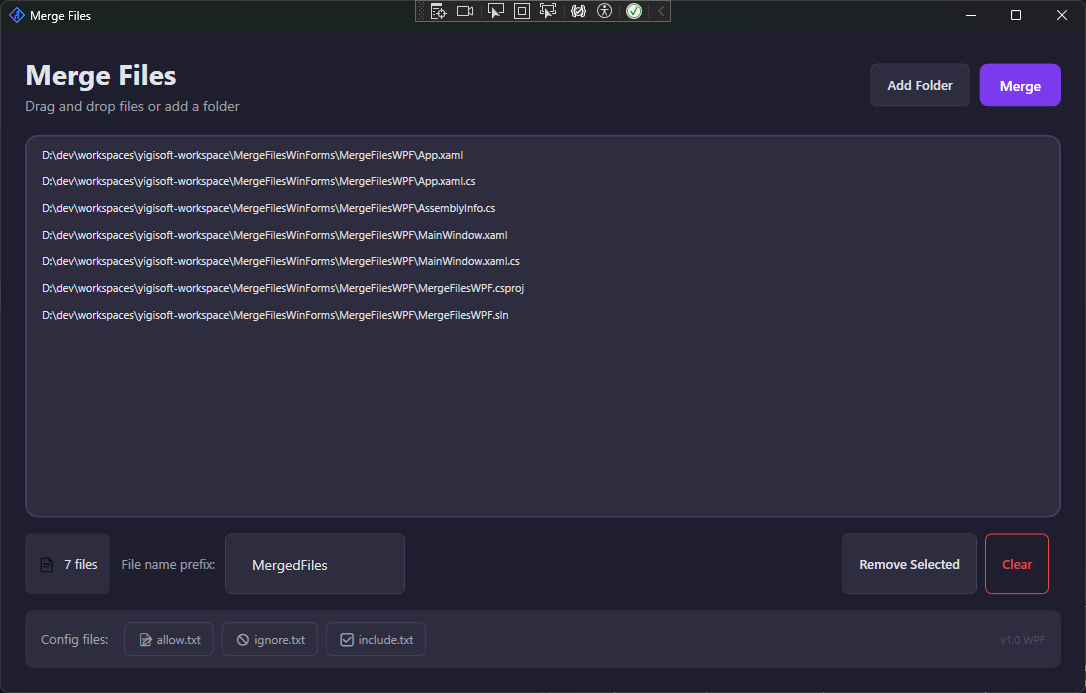
Everything you need to prepare your code for AI tools
Simply drag files or folders into the window. All matching files are automatically added to the list.
Control which files are included with allow.txt and ignore.txt. Exclude node_modules, bin, obj automatically.
Merged files include automatic headers with file list and metadata - perfect context for AI assistants.
Need a specific file from an ignored folder? Use include.txt to override exclusion rules.
Automatically detects UTF-8, UTF-16, and UTF-32 with BOM. No more encoding issues.
Beautiful dark theme with smooth animations. Available in WPF and WinForms versions.
Three simple steps to merge your files
Drag & drop folders or files, or use the "Add Folder" button to select a directory.
Check the file list. Remove any files you don't need or configure filters.
Click "Merge" to create a single text file ready to share with AI tools.
Choose the version that fits your style
Modern dark theme with hover effects
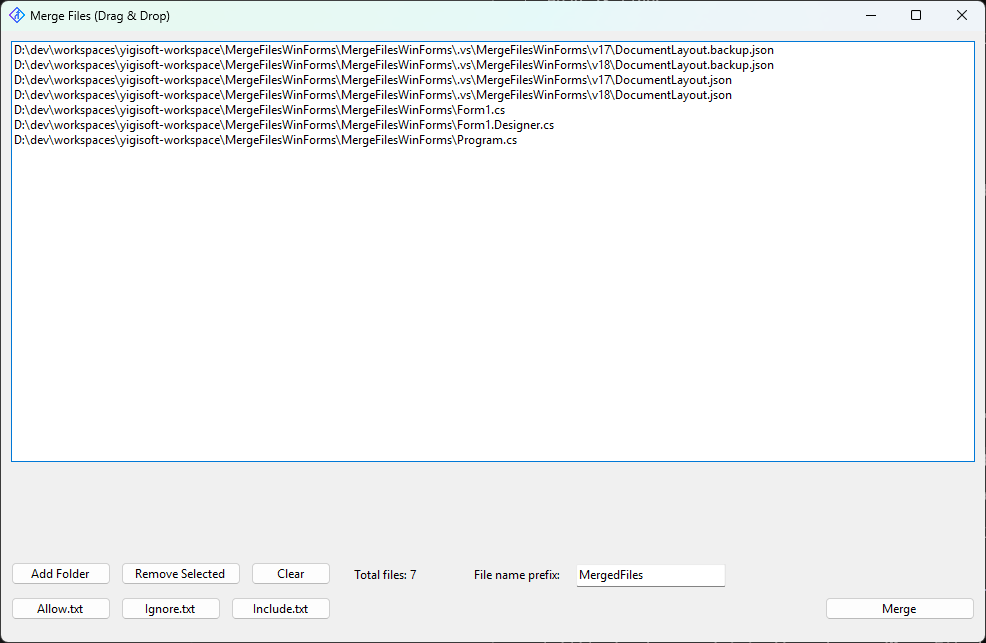
Classic Windows Forms interface
The merged file includes everything AI tools need to understand your code
 MergeFiles